 HENO Physical Therapy EMR
Keep the patient’s story together. Keep your day moving.
Forms in one place, the note in another, and a Plan of Care waiting to be sent. HENO brings intake, documentation, home exercises, physician communication, and billing into one connected workflow, so your team has less to piece together around each visit.
Built by a practicing PT. Used in HENO’s own PT practices.
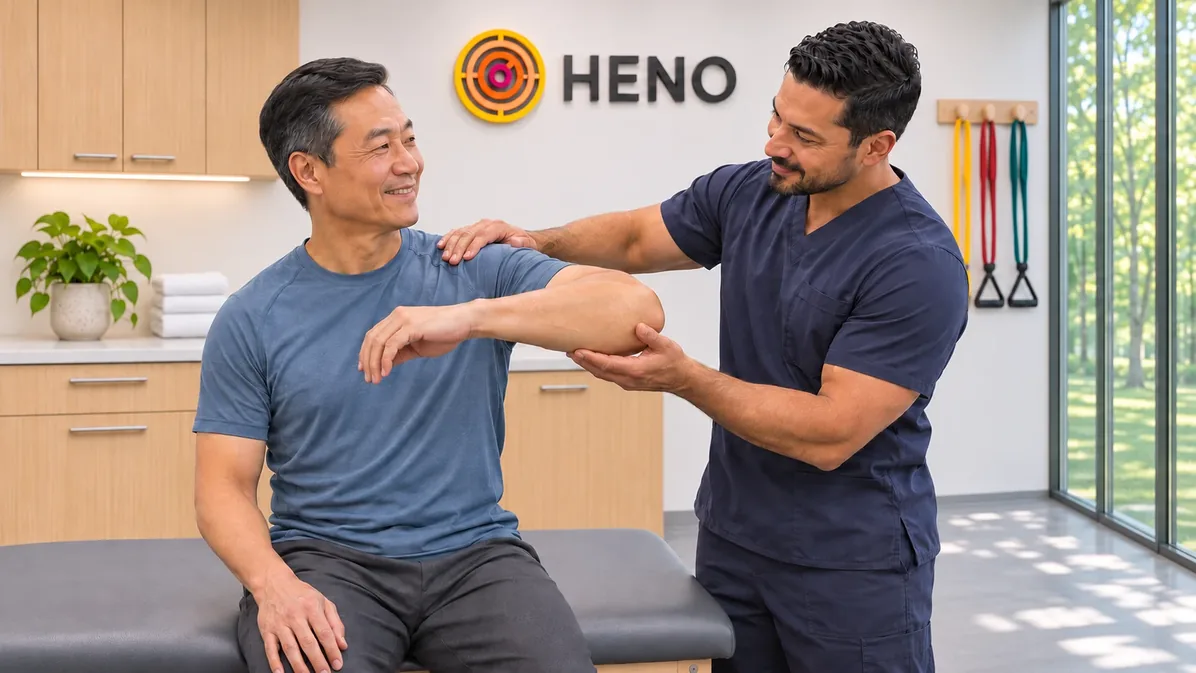
Illustrative workflow
One Patient Story
The visit changes. The record stays connected.
Follow the work before, during, and after a visit. See what your team can find in HENO without rebuilding the patient’s story each time.
Start with what the patient already told you.
Digital intake responses can populate evaluation fields. Supported outcome measures are scored automatically, and completed forms stay with the patient record.
Illustrative workflow. No patient data.
Digital Intake + Evaluations
Your patient already answered. Your therapist shouldn’t have to retype it.
Send intake forms by email or text, or let patients complete them in the practice. Patient responses can populate evaluation fields, and HENO scores supported outcome measures automatically. Keep the forms, signatures, and evaluation details together on the patient record.
Less duplicate entry before treatment. Relevant history when you need to review it.
Illustrative workflow
Evaluations + Daily Notes
Document today’s care. Not yesterday’s typing.
Start with therapy-focused templates, review prior visits, and reuse the details that still apply. HENO brings notes, exercises, CPT codes, and home exercise work into the documentation workflow. Update the record for today’s visit rather than reconstructing it across separate screens.
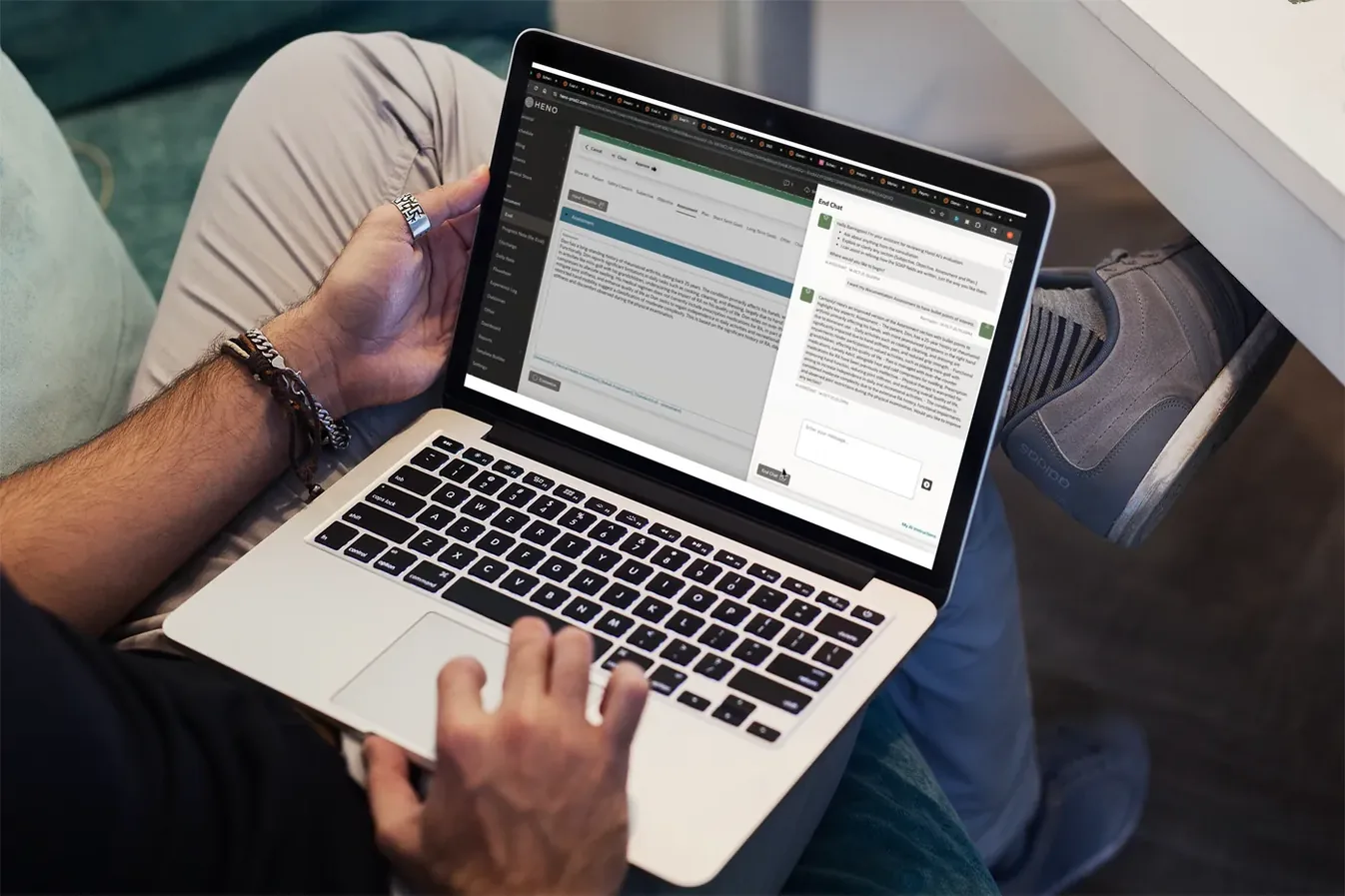
Make the template fit the way you treat.
Use HENO’s specialty templates or build custom fields with picklists, checkboxes, radio buttons, and text areas. Quick Texts let you reuse common phrases personally or across the practice.
Keep the useful history. Update what changed.
Review previous daily notes and copy forward relevant note details, exercises, and CPT codes. Adjust them for the current visit so the record reflects today’s care.
AI Scribe turns visit conversations into SOAP note drafts. AI Assistant guides the style of future notes, and AI-generated goals provide editable suggestions from evaluation details and the visit transcript.
Explore HENO AIHome Exercises + Physician Communication
The visit ends. The next steps shouldn’t get scattered.
Prescribe home exercises without leaving HENO. Send Plans of Care to physicians for e-signature, or use integrated faxing when needed. Keep signed documents and fax history with the patient record, and use overdue-signature alerts to see what still needs follow-up.
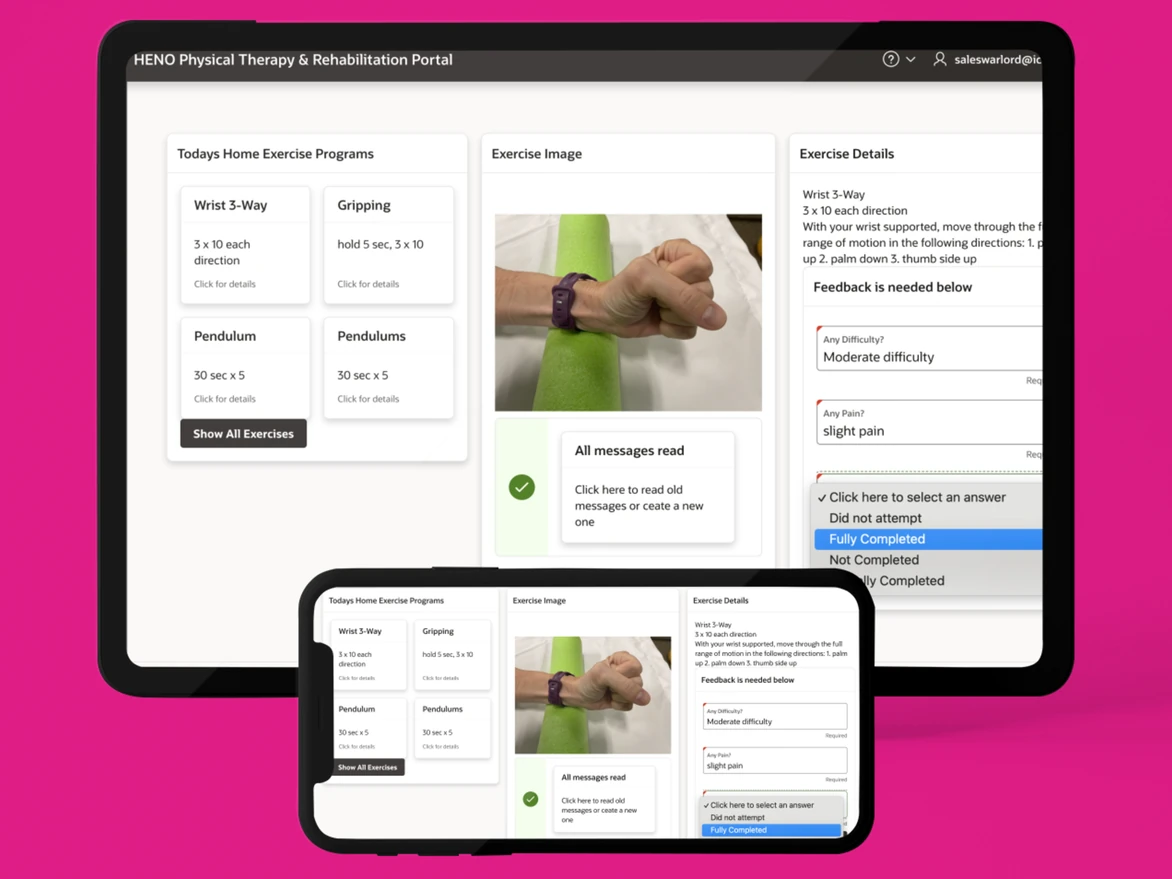
The documents stay organized. Your team can see what needs attention.
Clinical Work + Practice Operations
A finished note shouldn’t leave the rest of the practice catching up.
Connect the clinical record with scheduling, patient communication, eligibility, authorizations, claims, payments, and follow-up. Give your team a shared place to see the work around care, from the front desk to billing.
Illustrative workflow
Keep the front desk in the same story.
Use online booking, digital intake, reminders, waitlist texting, and patient self-service to reduce routine back-and-forth around appointments.
Keep billing connected to the work delivered.
Manage billing in-house with HENO’s integrated tools, or choose HENO’s U.S.-based billing team for claims, denials, payment posting, statements, and A/R follow-up.
Keep required follow-up on the team’s radar.
HENO provides prompts for progress notes, overdue physician signatures, KX-related information, and approaching authorization expirations. Claims-based MIPS tools and FOTO integration support reporting workflows where applicable.

Built in a working practice. For the work around care.
Dr. Katie Hohman, PT, DPT, CLT, a physical therapist and practice owner, co-founded HENO after looking for a better way to manage the clinical and business sides together. HENO is used in its own PT practices, where the team works with the same documentation, scheduling, and billing responsibilities you do.
Meet the people behind HENOMake sure the EMR fits your practice.
See pricing and plan optionsHENO supports PT, OT, and speech therapy practices with therapy-focused workflows and documentation. Its standard and custom templates support different care settings and documentation needs.
Yes. Use specialty templates or build custom fields with picklists, checkboxes, radio buttons, and text areas. Quick Texts can be personal or shared across the practice. AI Assistant can also guide the style of future AI notes through approved preferences.
HENO includes home exercise programming within the EMR. It supports Plan of Care e-signatures through the Provider Portal, integrated two-way faxing, and storage of completed physician documents and fax history on the patient record.
You can keep billing in-house using HENO’s integrated tools. HENO also offers an optional U.S.-based billing team, with claim-level visibility in the platform.
Yes. Start with the work your practice wants to make easier. A personalized demo can cover documentation, front-office work, patient self-service, billing, or billing services. HENO’s team can explain the relevant software and service options.
One Patient Story
The visit changes. The record stays connected.
Follow the work before, during, and after a visit. See what your team can find in HENO without rebuilding the patient’s story each time.
Start with what the patient already told you.
Digital intake responses can populate evaluation fields. Supported outcome measures are scored automatically, and completed forms stay with the patient record.
Illustrative workflow. No patient data.
One Patient Story
The visit changes. The record stays connected.
Follow the work before, during, and after a visit. See what your team can find in HENO without rebuilding the patient’s story each time.
Put your attention on what changed today.
Use therapy-focused templates, reusable text, and relevant prior-note details. AI Scribe can create a SOAP note draft from the visit conversation for your review.
Illustrative workflow. No patient data.
One Patient Story
The visit changes. The record stays connected.
Follow the work before, during, and after a visit. See what your team can find in HENO without rebuilding the patient’s story each time.
Keep the next steps with the care.
Manage home exercises inside HENO and send the Plan of Care for physician e-signature or faxing. Signed documents and fax history remain associated with the patient record.
Illustrative workflow. No patient data.
One Patient Story
The visit changes. The record stays connected.
Follow the work before, during, and after a visit. See what your team can find in HENO without rebuilding the patient’s story each time.
Pick up the story without starting over.
Review previous daily notes, relevant exercises, and historical forms. Copy forward useful details, then update them for the current visit.
Illustrative workflow. No patient data.
HENO supports PT, OT, and speech therapy practices with therapy-focused workflows and documentation. Its standard and custom templates support different care settings and documentation needs.
Yes. Use specialty templates or build custom fields with picklists, checkboxes, radio buttons, and text areas. Quick Texts can be personal or shared across the practice. AI Assistant can also guide the style of future AI notes through approved preferences.
HENO includes home exercise programming within the EMR. It supports Plan of Care e-signatures through the Provider Portal, integrated two-way faxing, and storage of completed physician documents and fax history on the patient record.
You can keep billing in-house using HENO’s integrated tools. HENO also offers an optional U.S.-based billing team, with claim-level visibility in the platform.
Yes. Start with the work your practice wants to make easier. A personalized demo can cover documentation, front-office work, patient self-service, billing, or billing services. HENO’s team can explain the relevant software and service options.
HENO supports PT, OT, and speech therapy practices with therapy-focused workflows and documentation. Its standard and custom templates support different care settings and documentation needs.
Yes. Use specialty templates or build custom fields with picklists, checkboxes, radio buttons, and text areas. Quick Texts can be personal or shared across the practice. AI Assistant can also guide the style of future AI notes through approved preferences.
HENO includes home exercise programming within the EMR. It supports Plan of Care e-signatures through the Provider Portal, integrated two-way faxing, and storage of completed physician documents and fax history on the patient record.
You can keep billing in-house using HENO’s integrated tools. HENO also offers an optional U.S.-based billing team, with claim-level visibility in the platform.
Yes. Start with the work your practice wants to make easier. A personalized demo can cover documentation, front-office work, patient self-service, billing, or billing services. HENO’s team can explain the relevant software and service options.
HENO supports PT, OT, and speech therapy practices with therapy-focused workflows and documentation. Its standard and custom templates support different care settings and documentation needs.
Yes. Use specialty templates or build custom fields with picklists, checkboxes, radio buttons, and text areas. Quick Texts can be personal or shared across the practice. AI Assistant can also guide the style of future AI notes through approved preferences.
HENO includes home exercise programming within the EMR. It supports Plan of Care e-signatures through the Provider Portal, integrated two-way faxing, and storage of completed physician documents and fax history on the patient record.
You can keep billing in-house using HENO’s integrated tools. HENO also offers an optional U.S.-based billing team, with claim-level visibility in the platform.
Yes. Start with the work your practice wants to make easier. A personalized demo can cover documentation, front-office work, patient self-service, billing, or billing services. HENO’s team can explain the relevant software and service options.
HENO supports PT, OT, and speech therapy practices with therapy-focused workflows and documentation. Its standard and custom templates support different care settings and documentation needs.
Yes. Use specialty templates or build custom fields with picklists, checkboxes, radio buttons, and text areas. Quick Texts can be personal or shared across the practice. AI Assistant can also guide the style of future AI notes through approved preferences.
HENO includes home exercise programming within the EMR. It supports Plan of Care e-signatures through the Provider Portal, integrated two-way faxing, and storage of completed physician documents and fax history on the patient record.
You can keep billing in-house using HENO’s integrated tools. HENO also offers an optional U.S.-based billing team, with claim-level visibility in the platform.
Yes. Start with the work your practice wants to make easier. A personalized demo can cover documentation, front-office work, patient self-service, billing, or billing services. HENO’s team can explain the relevant software and service options.
HENO supports PT, OT, and speech therapy practices with therapy-focused workflows and documentation. Its standard and custom templates support different care settings and documentation needs.
Yes. Use specialty templates or build custom fields with picklists, checkboxes, radio buttons, and text areas. Quick Texts can be personal or shared across the practice. AI Assistant can also guide the style of future AI notes through approved preferences.
HENO includes home exercise programming within the EMR. It supports Plan of Care e-signatures through the Provider Portal, integrated two-way faxing, and storage of completed physician documents and fax history on the patient record.
You can keep billing in-house using HENO’s integrated tools. HENO also offers an optional U.S.-based billing team, with claim-level visibility in the platform.
Yes. Start with the work your practice wants to make easier. A personalized demo can cover documentation, front-office work, patient self-service, billing, or billing services. HENO’s team can explain the relevant software and service options.
HENO supports PT, OT, and speech therapy practices with therapy-focused workflows and documentation. Its standard and custom templates support different care settings and documentation needs.
Yes. Use specialty templates or build custom fields with picklists, checkboxes, radio buttons, and text areas. Quick Texts can be personal or shared across the practice. AI Assistant can also guide the style of future AI notes through approved preferences.
HENO includes home exercise programming within the EMR. It supports Plan of Care e-signatures through the Provider Portal, integrated two-way faxing, and storage of completed physician documents and fax history on the patient record.
You can keep billing in-house using HENO’s integrated tools. HENO also offers an optional U.S.-based billing team, with claim-level visibility in the platform.
Yes. Start with the work your practice wants to make easier. A personalized demo can cover documentation, front-office work, patient self-service, billing, or billing services. HENO’s team can explain the relevant software and service options.